My Vault

Your documents and your follow-up, in one place.

My Vault keeps your organisation’s files beside the work they feed — the alerts to review, the tasks and checklists, the boards that track each programme, your drafts and review tables — and puts them to work across RegNext.
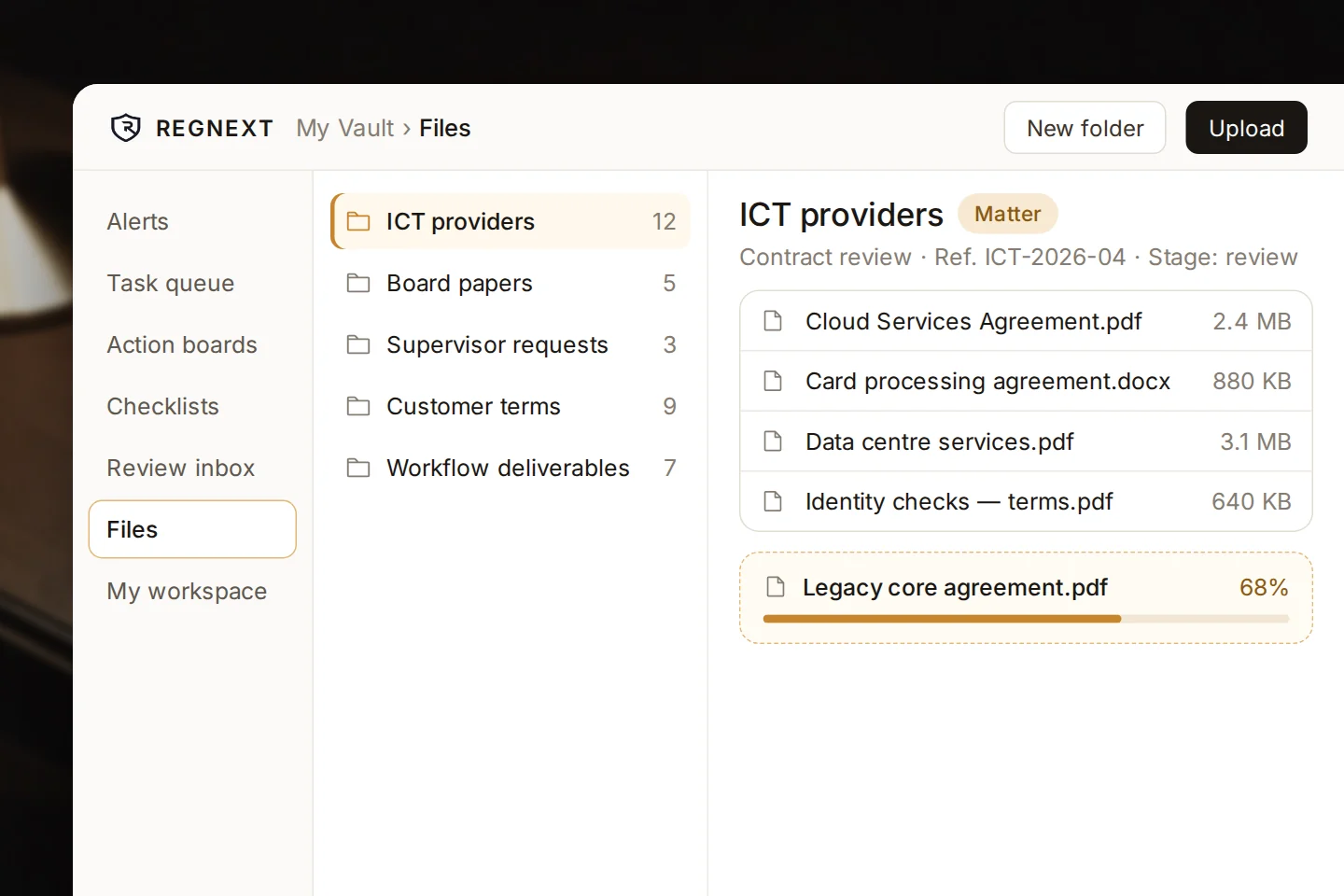
The Files space of My Vault: shared folders, a folder kept as a matter with its documents, and a file uploading
Sharedone space for your organisation’s files
Put to workask Amanda about a file or a whole folder
Followed upalerts, tasks, checklists and boards
On recordevery dismissed update keeps who, when and why

How it fits

Where the work is kept — and done.

Four things your team does in My Vault, every day.

Keep

Upload your files into shared folders, and keep a matter’s documents together.

Ask

Question a file or a whole folder with Amanda, or read a folder in a review table.

Follow up

Turn what needs doing into tasks, checklists and boards, each with an owner and a date.

Decide

Work through the review inbox: act on an update, or dismiss it with a reason.

Put your files to work

Ask a question across a whole folder.

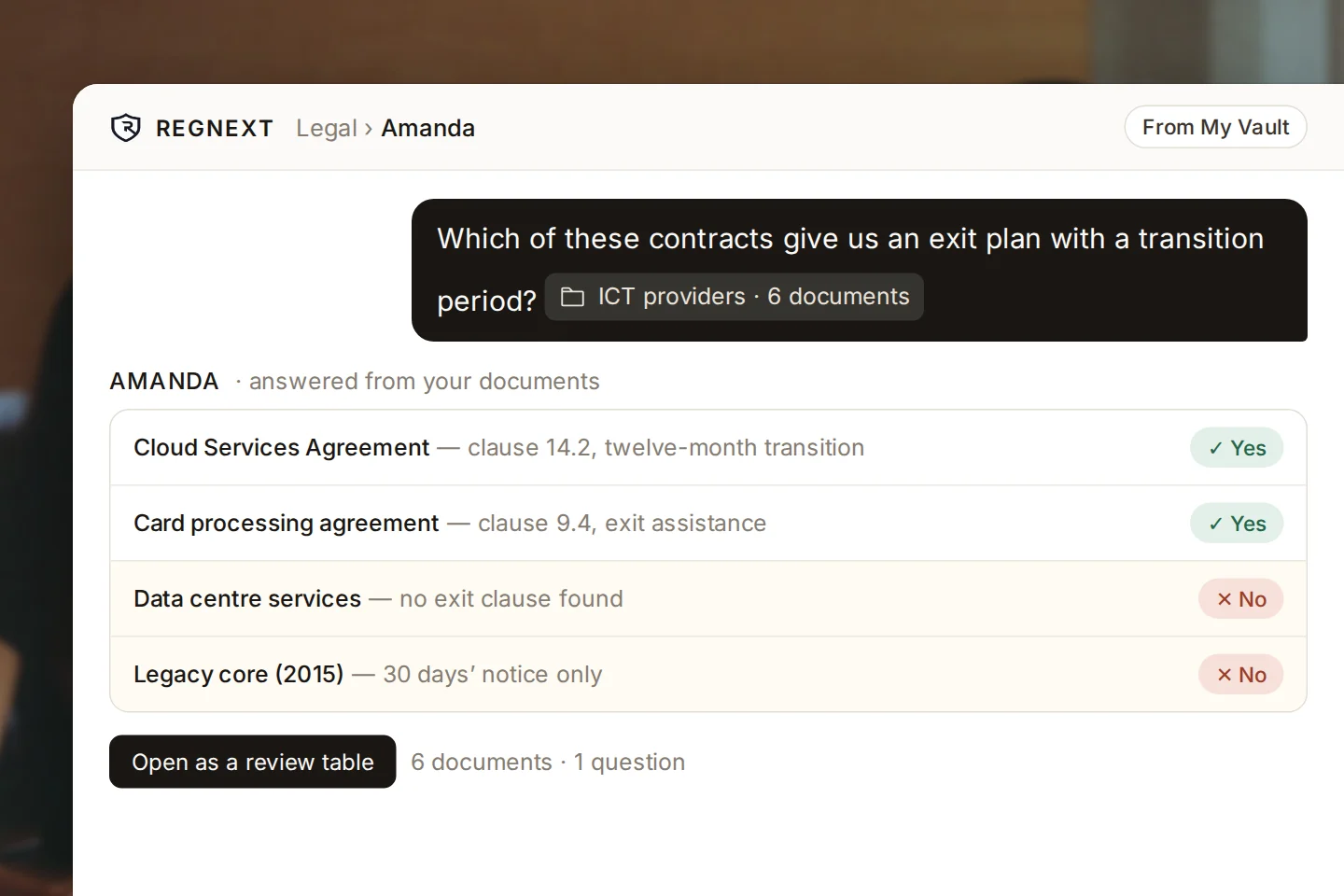
Point Amanda at a folder of up to ten documents and get one answer per document — then open the result as a review table.
A file or a folderAttach one document, or a folder of up to ten.
Review tablesImport a whole folder and read every document against the same questions.
Against what changesCheck a file or a folder against the latest regulatory developments.
Results filed backAgentic workflows save their deliverables to a Vault folder.
A question asked across a folder of six contracts, answered contract by contract, with a button to open the result as a review table

Follow-up

Every action has an owner and a date.

Turn what needs doing into tasks, checklists and boards — tied to the regulatory actions they serve, with a status the whole team can see.
Task queueStatus, assignee, due date and comments.
ChecklistsShared tick-lists of regulatory items.
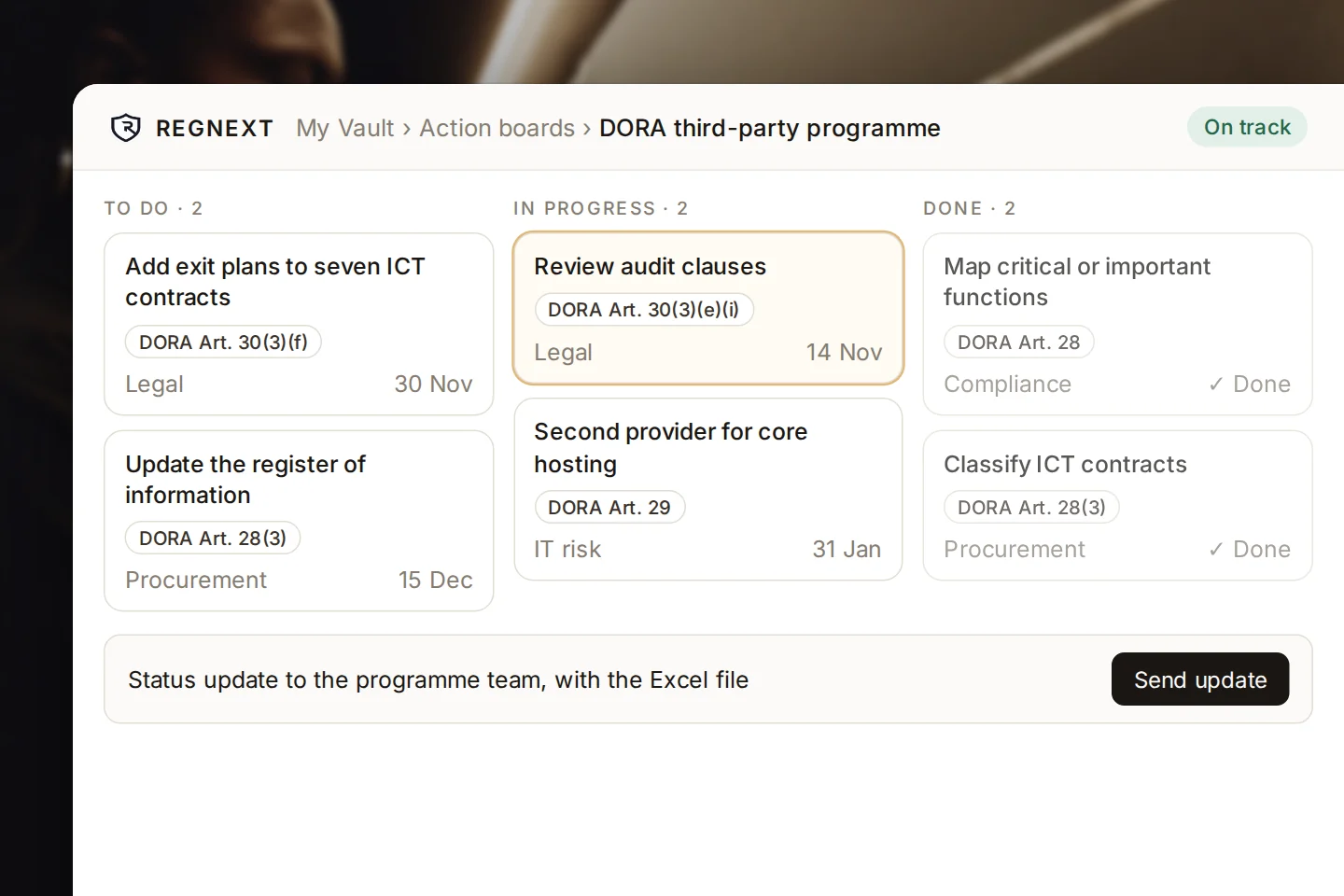
Action boardsA list or a board — on track, at risk or blocked.
Status updatesA board’s status sent to its team, with the Excel file.
An action board for a third-party programme: actions tied to DORA articles, with owners and due dates, in to-do, in-progress and done columns

Review

Updates triaged. Decisions kept.

The review inbox ranks incoming updates by relevance. Act on one, turn it into a task, or dismiss it — with a reason that stays on record.
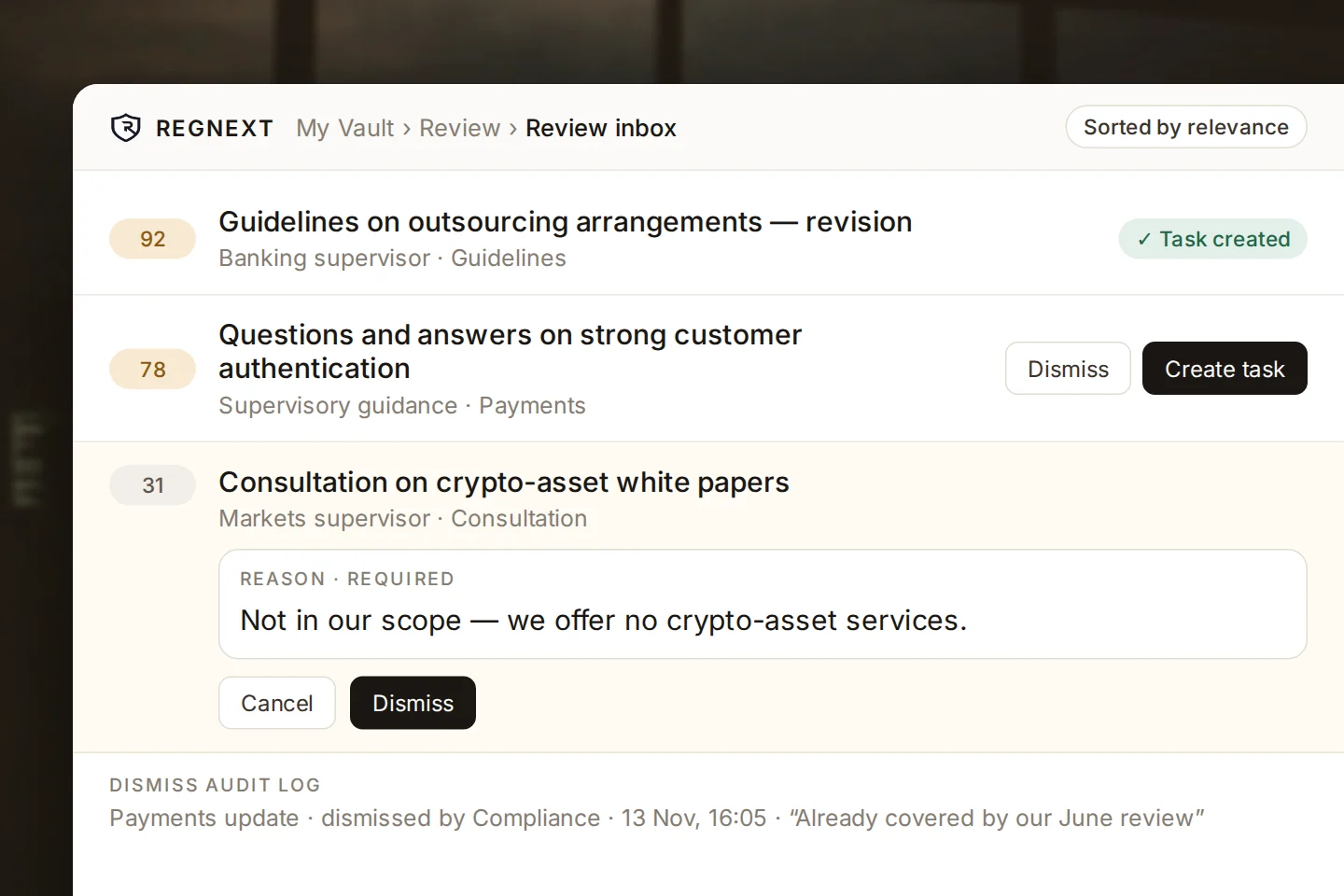
RankedUpdates scored for relevance, most relevant first.
AlertsMark reviewed, reopen, assign an owner or export to CSV.
A reason for every dismissalWho, when and why, kept in the dismiss audit log.
DigestsSaved views sent to you daily or weekly.
The review inbox: updates ranked by relevance, one turned into a task, one being dismissed with its required reason, and the dismiss audit log below

My workspace

Your own corner of RegNext.

What you saved, drafted and reviewed, kept together.

Saved items

Alerts, tasks, saved views, collections and notes.

Drafts

Versions, side-by-side comparison and Word export with tracked changes.

Review tables

Shared with colleagues, exported to CSV, Excel or Word.

Shared with me

What your colleagues have shared with you.

Built for your team

Shared where it should be. Private where it matters.

One space per organisation

Files are shared with every member of your organisation.

Yours alone

Your saved items and drafts stay private to you.

Any file

Any type, up to 200 MB per file.

Read by Amanda

Word, PDF, web pages and text files, up to 25 MB each.

Decisions on record

Every dismissal needs a reason, kept with who and when.

Part of the platform

Your files feed Amanda, review tables, monitoring and agentic workflows.

image of brainstorming session for a productivity tools business

Transform compliance.
Accelerate outcomes.

Explore how RegNext supports regulatory intelligence and compliance execution in your industry.